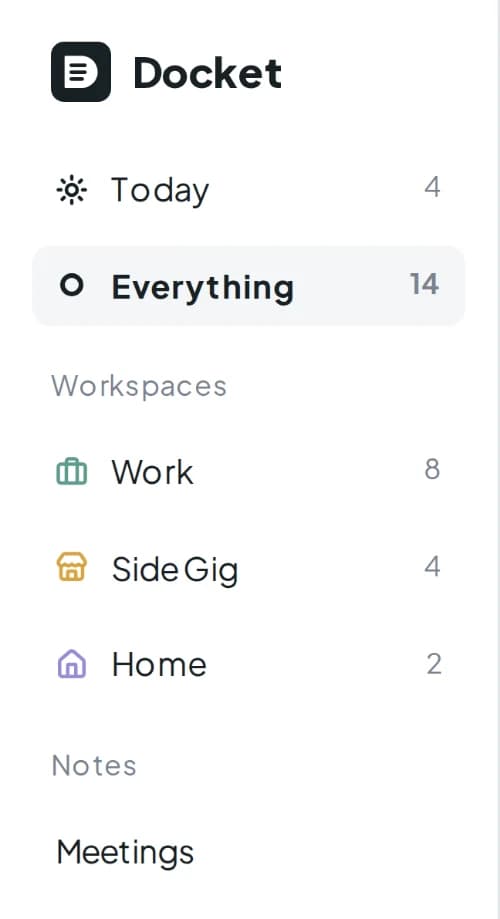
A workspace for each part of life
Your job, your shop, your house. Each workspace keeps its own projects, tags, types, and priority order, under an icon you pick. The Everything view weaves them together.
Work, home, the side business, school. Every moving part of your life in one list, with the dates that matter lined up so you always know what's next.
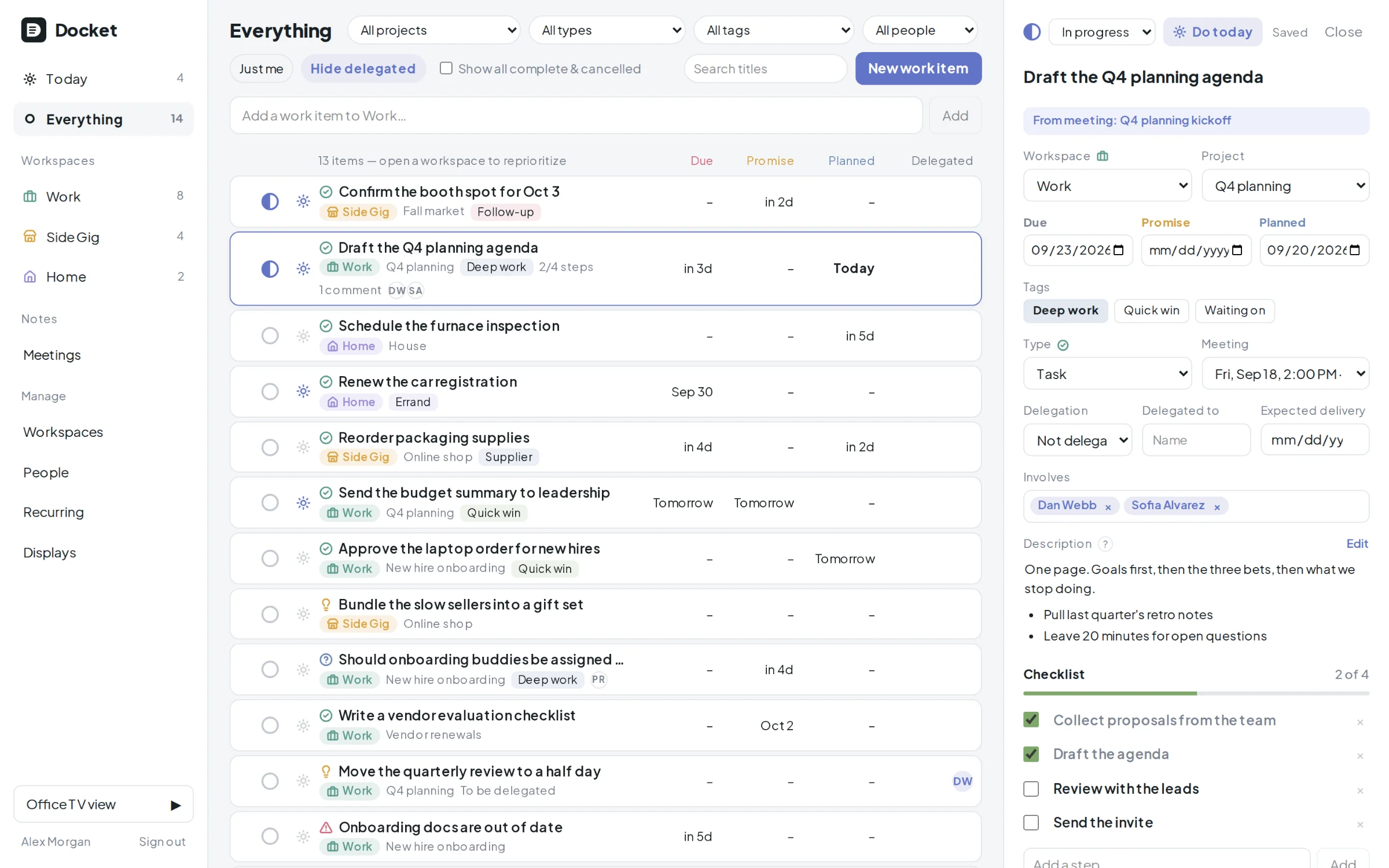
Docket is a personal work manager. Not a team tool with you as the only member, and not a notes app pretending to be a plan. One list, yours, dense with what matters.
Your job, your shop, your house. Each workspace keeps its own projects, tags, types, and priority order, under an icon you pick. The Everything view weaves them together.
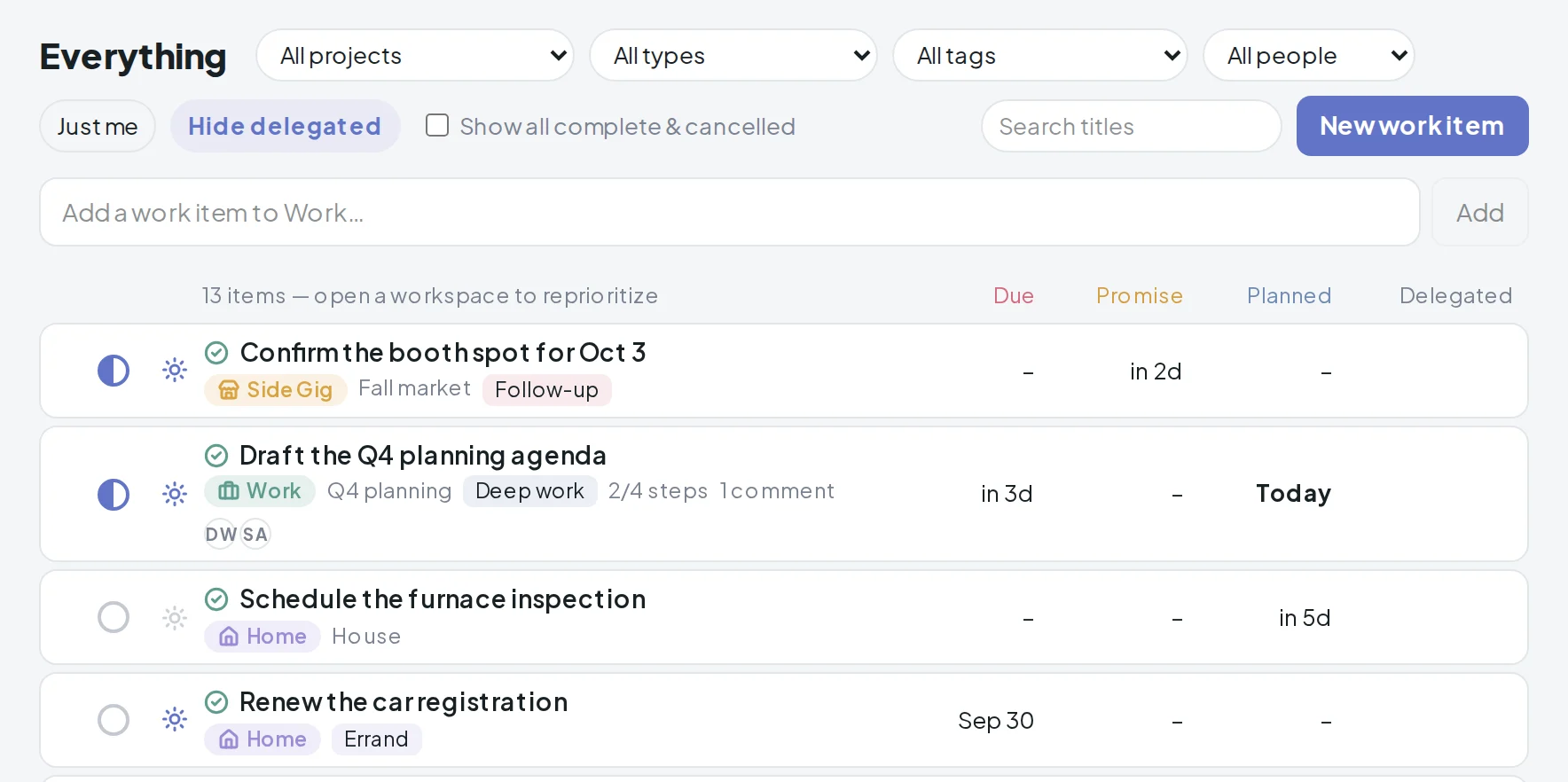
Type a title, press Enter. The item lands in the active workspace with your current project and tag already applied. Sort the details out later, or never.
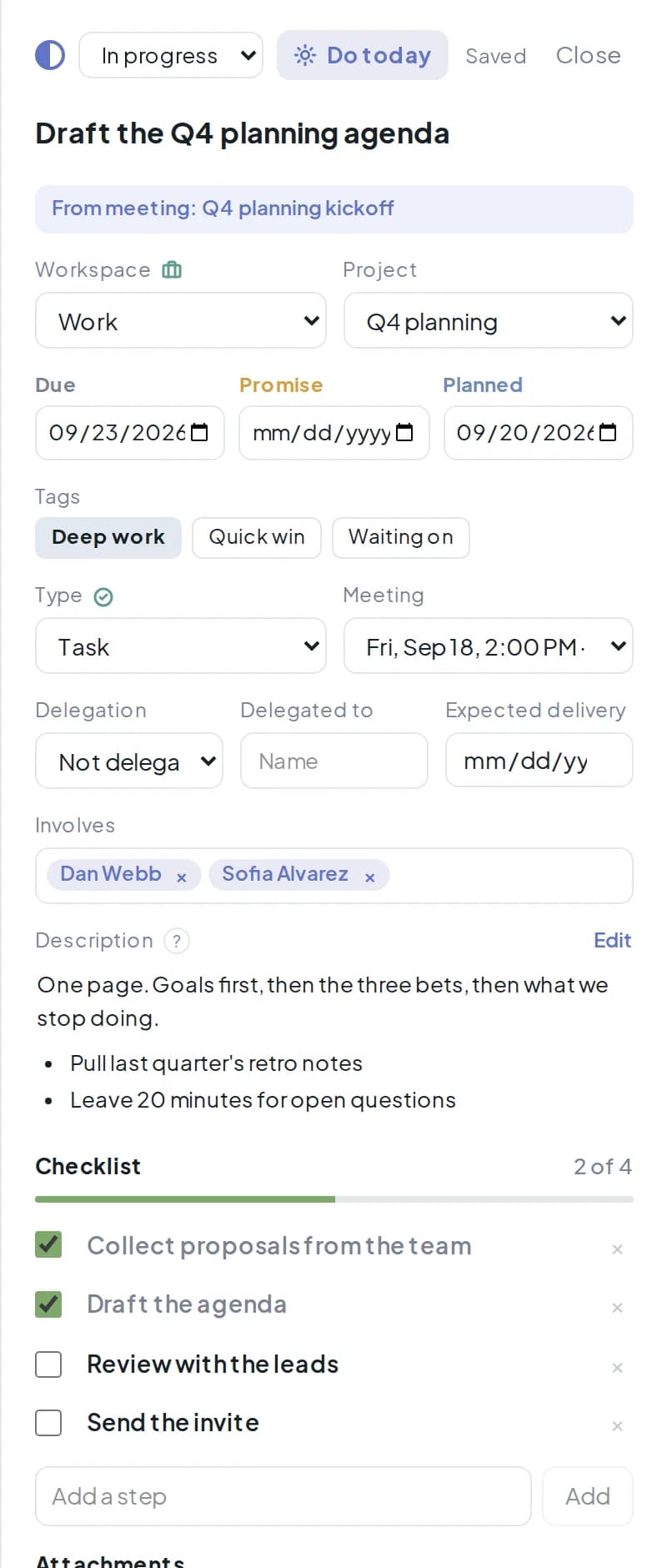
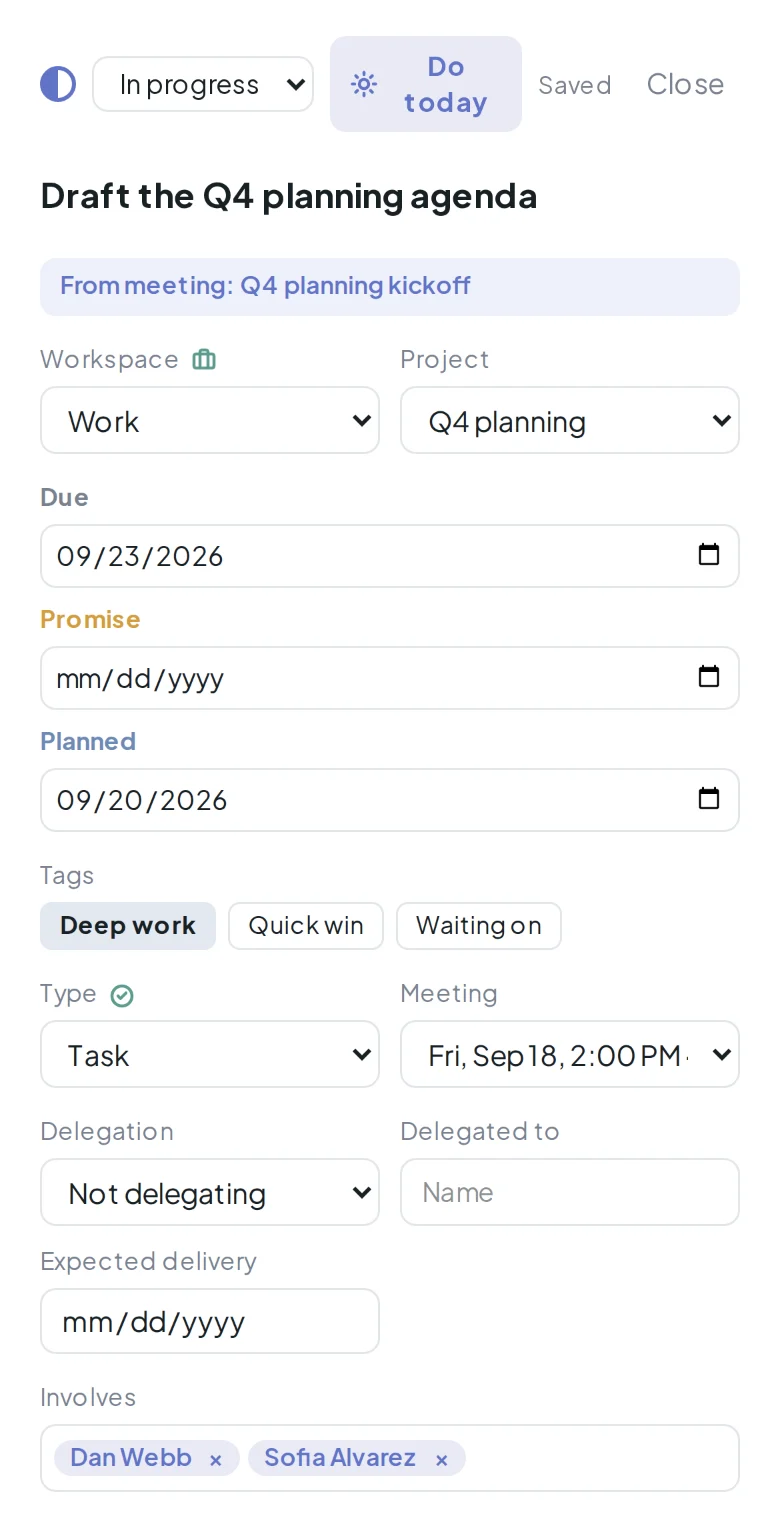
Checklist steps, attachments, comments, Markdown notes, and the people involved. All in a drawer beside the list, saved as you type.
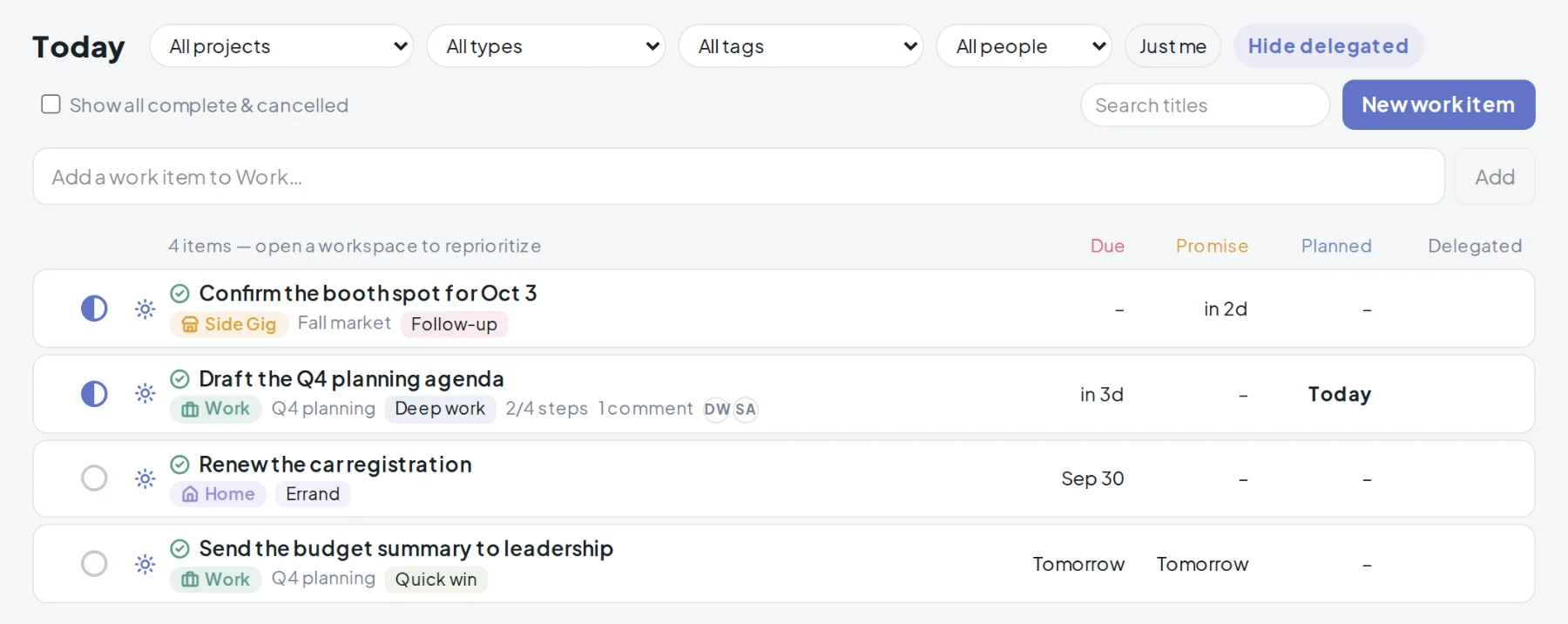
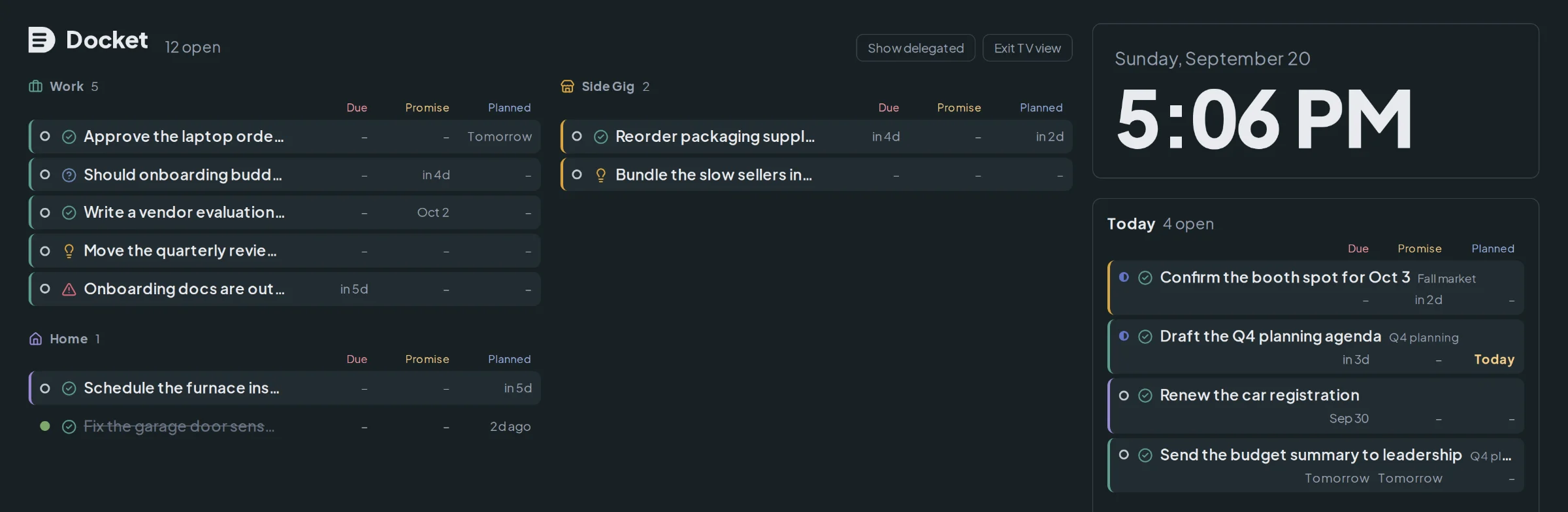
Most tools give you one date and call it a deadline. Real work has three, and Docket keeps them in aligned columns so you can scan a whole week down the page.
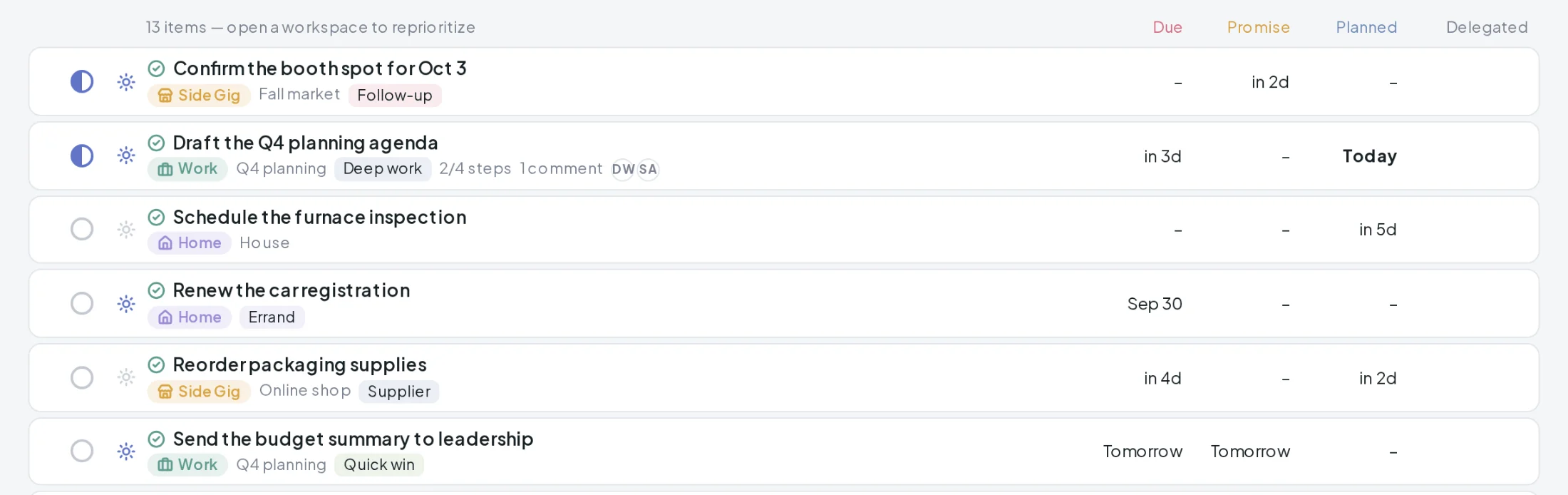
Today
Nothing arrives in Today on its own. You flag an item, from the list or the drawer, and it joins the short list you actually intend to do. It stays until you unflag it or finish it, so the day is something you chose rather than everything that happens to be due.
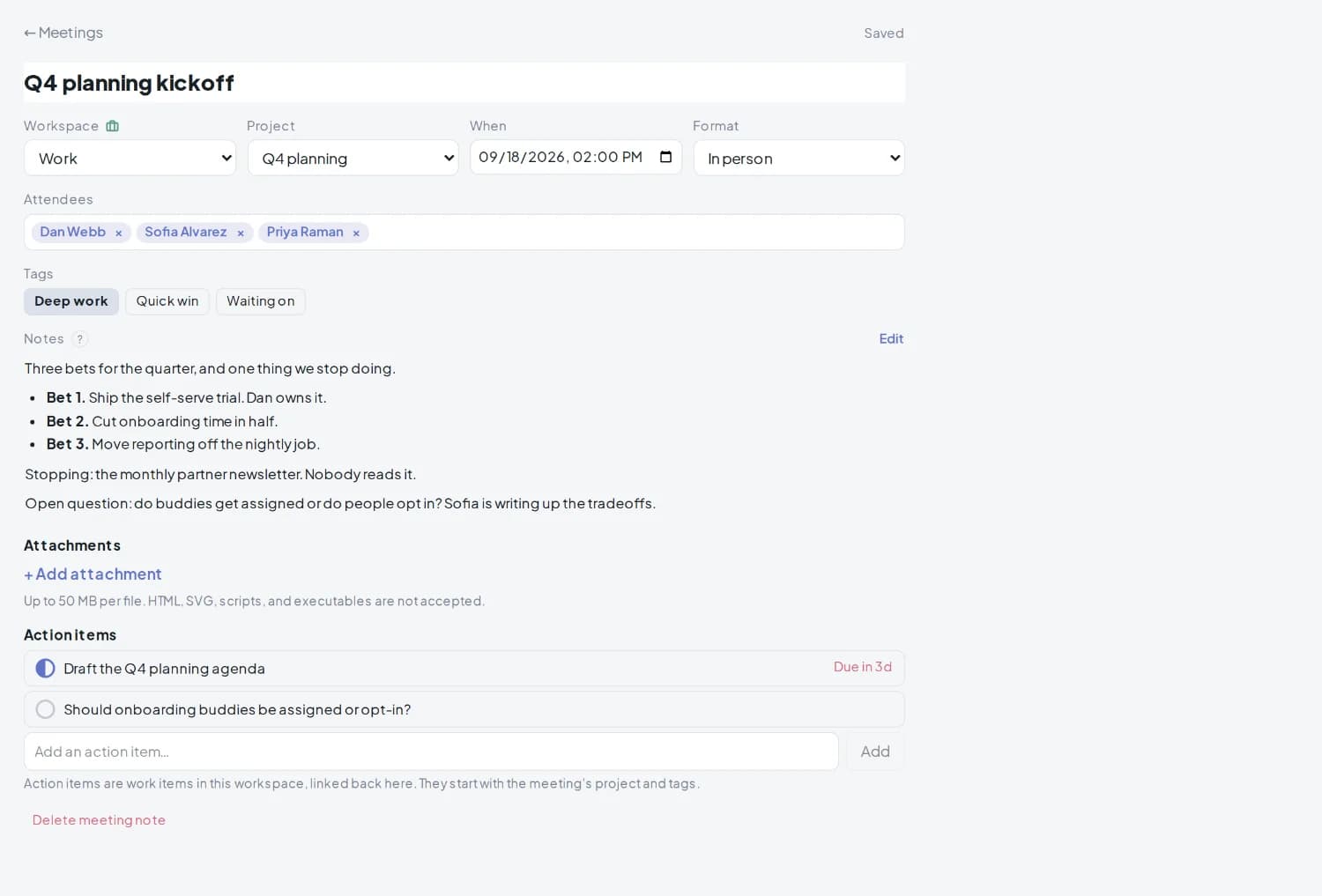
Meeting notes
Keep the note where the work lives. Attendees, the project, whether it was in person, Zoom, Teams, or a phone call, and the notes themselves in Markdown.
Then add action items at the bottom. Each one becomes a real work item in that workspace, carrying the meeting's project and tags, and links back to the note it came from. Nothing is retyped and nothing is stranded in a document.
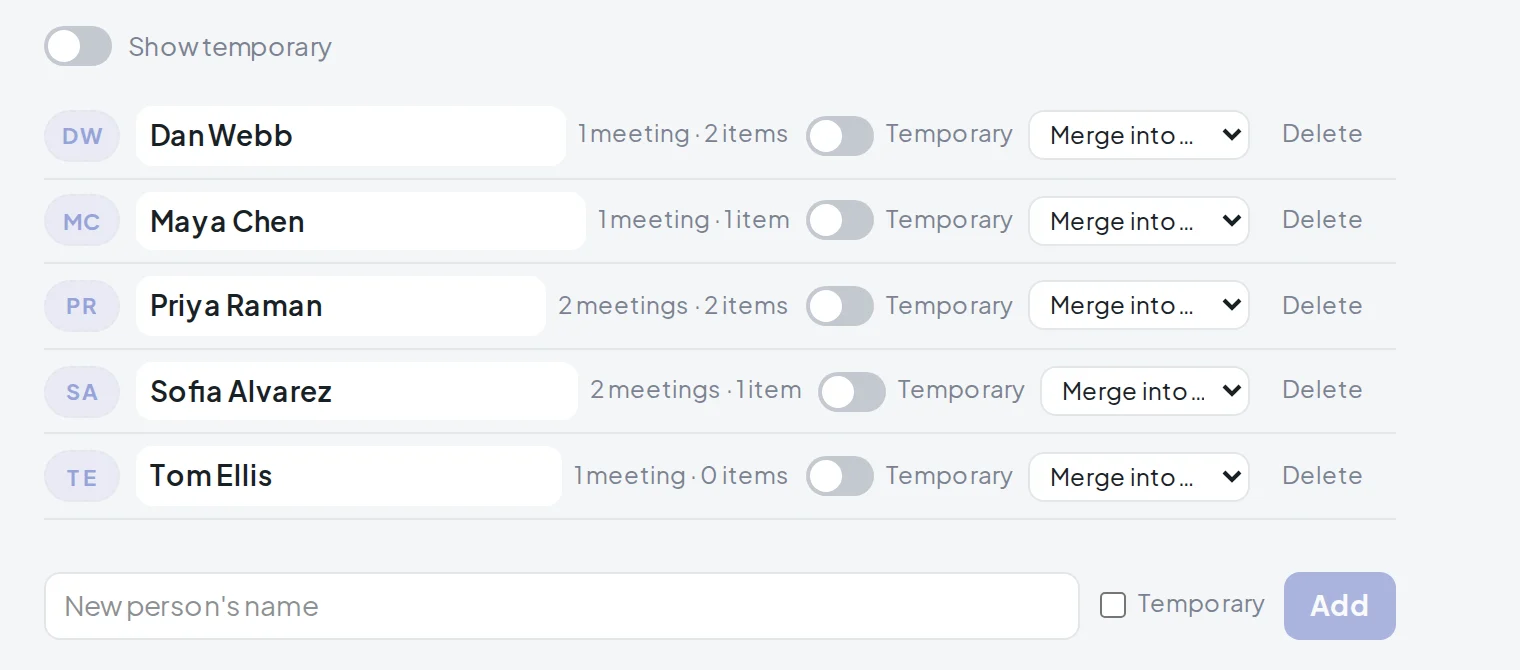
People
One directory across every workspace. Hand an item to someone and say whether it is still yours to pass on or already gone, with the date you expect it back. Name the people an item involves without delegating it at all.
Filter the list to one person, or to the work that is nobody else's. Rename someone once and every meeting and work item follows. Two spellings of the same person merge into one.
Weekly on Monday, monthly on the 1st. Items appear on schedule, with lead time if you want it.
Task, Idea, Issue, Question out of the box. Rename them, recolor them, or add your own per workspace.
Order within a workspace is yours. Drag a row and it stays there, on desktop and on touch.
No save button, and the cursor stays where you left it. The drawer tells you when it is saved.
What you finished today sinks to the bottom, crossed out, and disappears tomorrow.
Every account is scoped to one person. Download a full export whenever you want it.
Office TV view
Every workspace as a column, with the clock and today's short list beside them. Dark, large type, no chrome. It refreshes itself and stamps the time it last did, so the screen by the door is always right.
A display that cannot sign in, like the one wired to the TV, gets its own link instead. Read-only, no account, and you can revoke or rotate it in a click.
On the phone
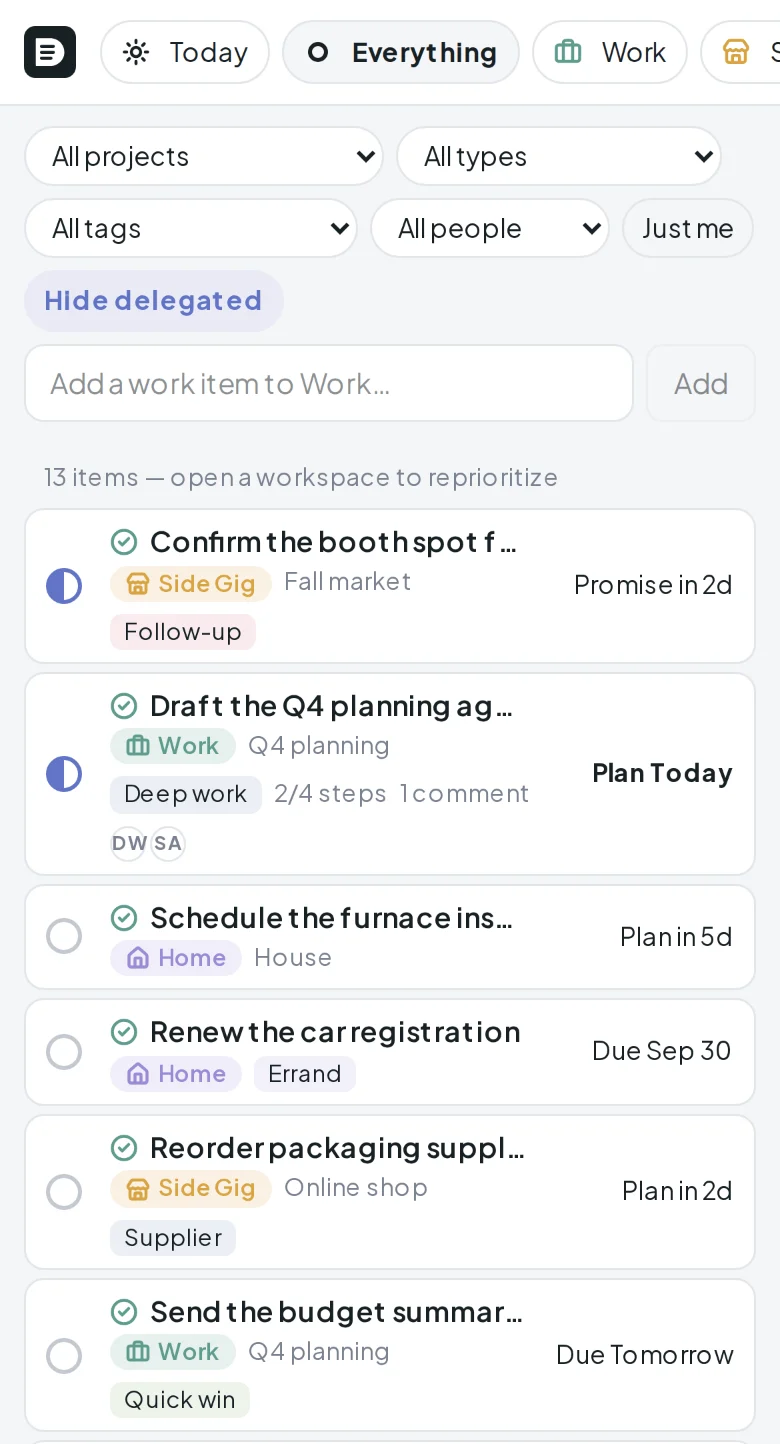
Workspaces become a chip strip. Rows collapse to status, title, and the one date that matters next, labelled so you know which it is. Quick add stays pinned at the top and the drawer goes full screen. Nothing is hidden behind a smaller menu.
Docket is in early access. Join the waitlist and you'll hear when your spot opens.